
Furbo 360° Dog Camera by the Numbers: A Data Profile
Furbo 360° Dog Camera by the numbers: Score v1.0 6.6/10 (#5 of 6 in its category), owner rating 4.61/5 from 734 reviews, tracked from $30.00.
Lab 01: Pet Tech · Pet Cameras
Email me when Wyze Cam v4 drops to my target price. The confirmation includes a manage link — use it any time to list or remove your alerts at Your price alerts. Lowest price tracked so far: USD 44.98 — a target below that is below the historical low and less likely to be reached.
Affiliate disclosure: This article is desk research based on manufacturer specifications and our catalog data — we did not hands-on test either camera. AIBuyLab may earn a commission from qualifying purchases made through links on this page, at no extra cost to you.
Our pick: Wyze Cam v4 vs Arlo Essential Indoor Camera (2nd Generation, 2K) — check current prices at the retailers.
An indoor pet camera is a fixed home camera used to check on pets while you are away: live view through an app, motion-triggered clips, and two-way audio so you can hear — and talk to — the animal. Neither camera here pans or tilts, and neither tosses treats; both are watch-and-listen devices, not interactive feeders. That makes this comparison unusually clean: with the same resolution, the same field of view, and the same core features, the decision comes down to where your footage lives.
Spec | Wyze Cam v4 | Arlo Essential Indoor (2nd Gen, 2K) |
|---|---|---|
AIBuyLab Score v1.0 | 7.3 | 6.7 |
Resolution | 2K | 2K |
Field of view | 130° | 130° |
Local storage | Yes (microSD class) | No |
Two-way audio | Yes | Yes |
App control | Yes | Yes |
Pan / tilt | No | No |
Treat tossing | No | No |
Subscription required for core use | No | No |
Bark alerts included free | No | No |
Weight | Not tracked in our catalog | 0.113 kg |
Read that table top to bottom and a pattern emerges: row after row is a tie. Both cameras see the same 130° slice of the room at the same 2K resolution. Both let you talk back through the app. Neither moves, neither feeds, and — per our catalog — neither requires a subscription just to function at a basic level. There is exactly one row where they diverge, and it is the row that matters most over the life of the camera.
The Wyze Cam v4 records to local storage. When your router reboots, your ISP blips, or a cloud service has a bad afternoon, a camera with a card in it keeps writing footage to that card. Playback of a 2 a.m. moment — the cat on the counter, the dog at the door — does not depend on a server somewhere being up, or on your account being in good standing with a subscription tier.
The Arlo Essential Indoor 2K has no local storage. Every clip it captures lives in Arlo's cloud and nowhere else. That is a legitimate design choice: nothing to format, nothing to swap, and footage that is physically off-site if the camera itself is damaged or taken. But it also means the camera's memory is rented, not owned. If the cloud path is interrupted, there is no on-device fallback buffer of recordings waiting for you.
For pet monitoring specifically, this cuts two ways. Most pet clips are low-stakes — you want to confirm the dog settled after you left. But the clips people actually care about tend to be the unusual ones: a fall, a chewed cable, a pet that got into something. Those are precisely the moments you do not want gated behind an outage window or an account screen.
Our catalog lists both cameras as not requiring a subscription for core use, and we will not pretend otherwise. You can buy either one, open the app, and watch your pet without paying a monthly fee.
The honest nuance is about leverage, not requirements. A camera with local storage gives you a no-subscription path that still includes recorded footage — the card is your archive whether or not you ever pay for a plan. A cloud-only camera gives you a no-subscription path that is thinner in practice: without local storage, recorded history is the cloud's product, so the plan becomes the de facto way to get the feature most buyers assume a camera includes. The Arlo does not force you into a subscription; its design simply leans harder on one.
One more shared caveat: on both cameras, bark alerts are not included free per our catalog. If dog-bark notifications are the feature you are shopping for, budget for the possibility of a paid tier on either side of this comparison.
Where footage lives is also a privacy decision. Local storage keeps recordings inside your home, on a card you physically control; the trade-off is that the card leaves with the camera if the camera is ever stolen, and you are responsible for managing its capacity. Cloud storage moves footage off your premises — convenient for access from anywhere and safe from a single point of physical failure, but it places your in-home video on a third party's infrastructure under their retention rules.
Neither posture is automatically right. Owners who set a camera up in a living room to watch a puppy may not care. Owners pointing one at a space they consider private often do — and for them, the Wyze's local option is the deciding feature, with the cloud available as a supplement rather than the only copy.
This is not a shutout. The Arlo Essential Indoor 2K weighs just 0.113 kg per our catalog — genuinely featherweight, which makes shelf placement, adhesive mounting, and moving it between rooms trivial. If your use case is "set it on the bookshelf when we travel, put it away when we get home," a cloud-managed camera with no card to manage is a coherent, low-fuss choice, and its 2K / 130° imaging matches the Wyze exactly. Our Score gap (7.3 vs 6.7) reflects the storage row, not an image-quality verdict — on the specs we track, these cameras see the room equally well.
Choose the Wyze Cam v4 if outage-tolerance or privacy posture matters to you, if you want recorded footage without leaning on a plan, or if your home Wi-Fi is anything less than rock-solid. Local storage is the only meaningful spec difference in this pairing, and it happens to be the one that decides whether the camera works when conditions are imperfect.
Choose the Arlo Essential Indoor 2K if you value the lightest, simplest cloud-managed setup, you are already comfortable keeping footage in a subscription ecosystem, and the camera's job is casual check-ins rather than a dependable record.
On near-identical spec sheets, storage is destiny — and only one of these cameras keeps its memory at home.
Where to buy: Wyze Cam v4 · Arlo Essential Indoor Camera (2nd Generation, 2K) — retailer links run through our /go/ tracker; the product pages track prices daily.
Do either of these cameras require a subscription? Per our catalog, no — neither the Wyze Cam v4 nor the Arlo Essential Indoor 2K requires a subscription for core use. That said, recorded footage on the cloud-only Arlo depends on its cloud service in a way the Wyze's local recordings do not, and bark alerts are not included free on either camera.
What happens to recordings if my Wi-Fi goes down? The Wyze Cam v4's local storage keeps recordings on the card in the camera, independent of the cloud. The Arlo has no local storage, so it has no on-device recording fallback — its footage lives only in the cloud.
Can either camera pan, tilt, or toss treats? No. Per our catalog, both are fixed cameras with no pan/tilt and no treat tossing. If you need to follow a pet around a room or reward them remotely, you are shopping in a different product class.
Is the video quality different between them? Not on the specs we track: both record at 2K with a 130° field of view and offer two-way audio through their apps.
Why does the Wyze score higher in your catalog? Our Score v1.0 has the Wyze Cam v4 at 7.3 and the Arlo Essential Indoor 2K at 6.7. With resolution, field of view, and core features tied, the local-storage difference is the main factor separating them.
Which is better for a privacy-conscious home? The Wyze, on posture: recordings can stay on a local card inside your home rather than existing only on a third party's servers. The trade-off is that you manage the card yourself, and it leaves with the camera if the camera is taken.
---
Last updated: November 27, 2026
November 27, 2026 — Added retailer buying links (Our pick and Where to buy) for the products covered in this article.
Furbo 360° Dog Camera by the numbers: Score v1.0 6.6/10 (#5 of 6 in its category), owner rating 4.61/5 from 734 reviews, tracked from $30.00.
As of 2026-11-21, we track 16 pet cameras from 11 brands, scored with Score v1.0 from owner ratings, spec strength and ownership cost. Petcube Cam leads the list at 8.3/10. Tracked prices run from $24 to $200; the full table below is sortable by score and price.
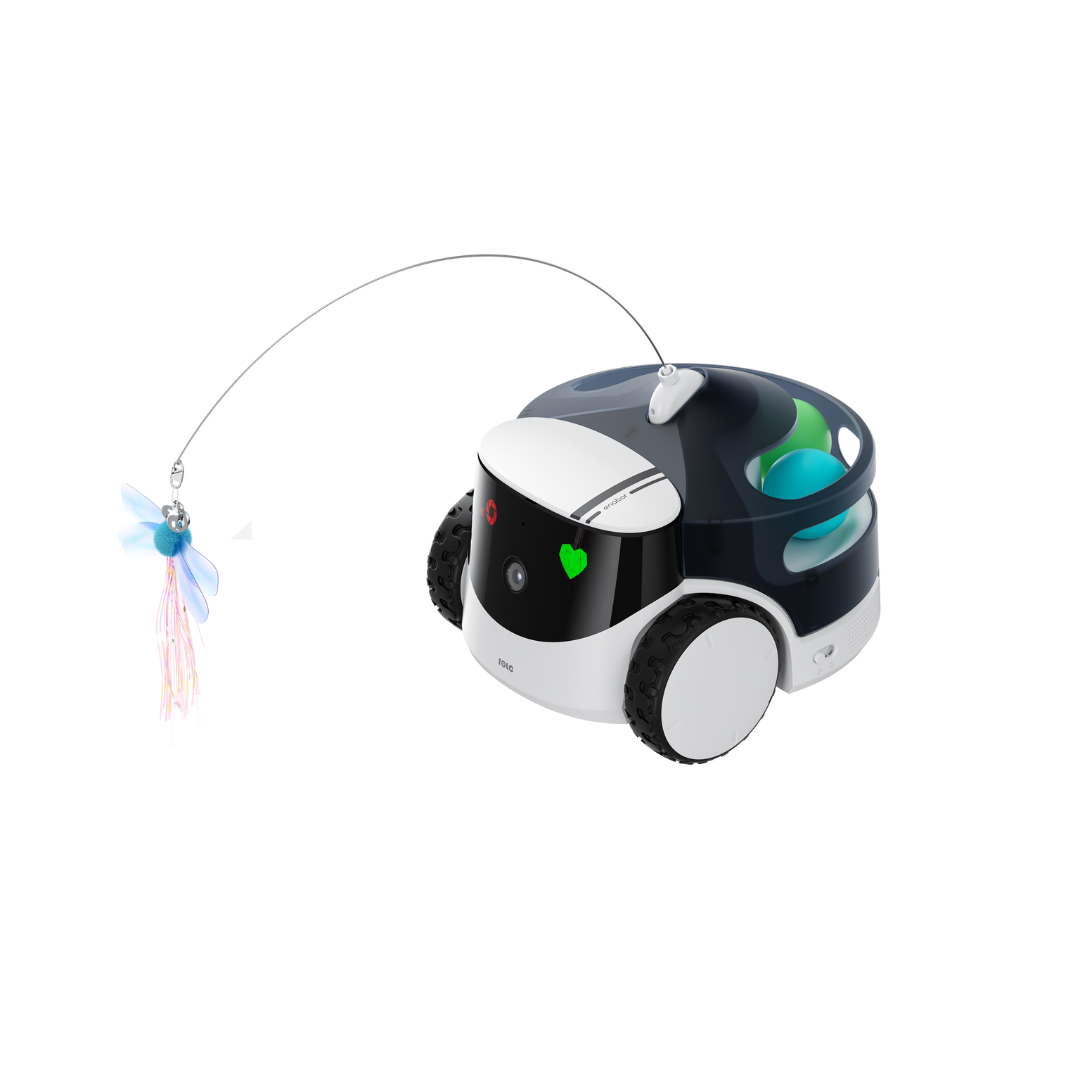
The SKYMEE Owl Robot scores 6.0 in our catalog; the Enabot ROLA PetPal scores 1.0 — the lo
On paper, these two indoor cameras are nearly twins: both shoot 1080p video, both see a 143° field of view, both offer two-way audio and app control, and neither pans, tilts, or tosses treats. - The o
Discussion
No comments yet